 Enlarge
Commands
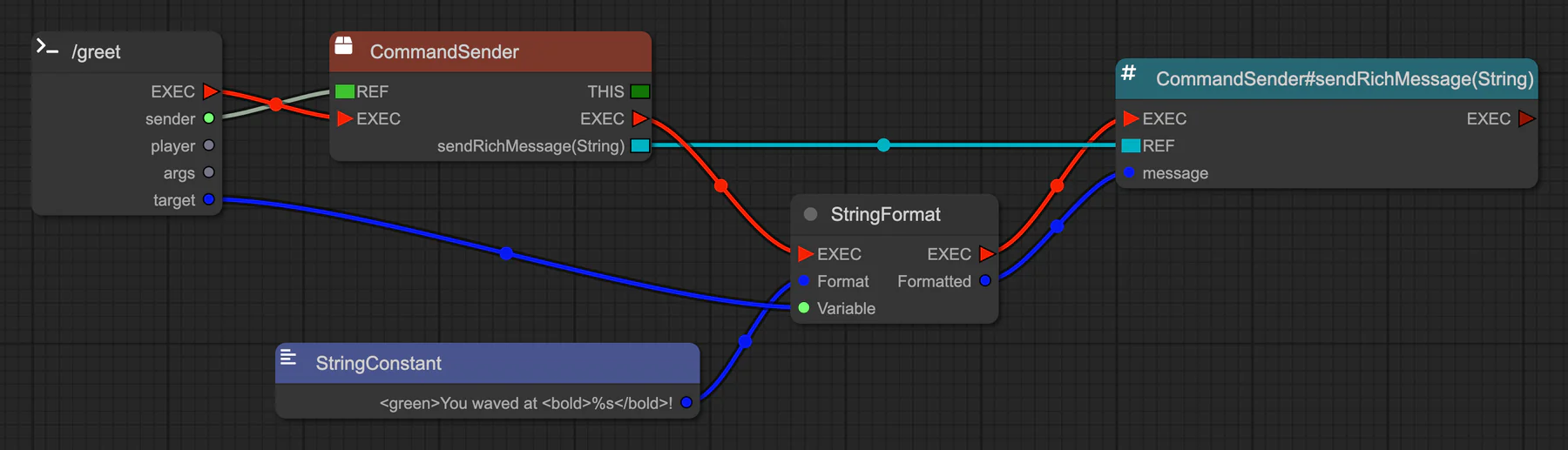
Add one Command node per command. Give it typed arguments, aliases, a permission, a permission message and a players-only option. The node registers the command, so you don't list it anywhere else.
Commands guide
PluginBlueprint is a visual editor for Paper 26.3 plugins. Connect events, objects and method calls, and it writes the Java, compiles your jar and runs a test server for you.
Pay what you want. Windows, macOS (Apple silicon) and Linux. Open source.
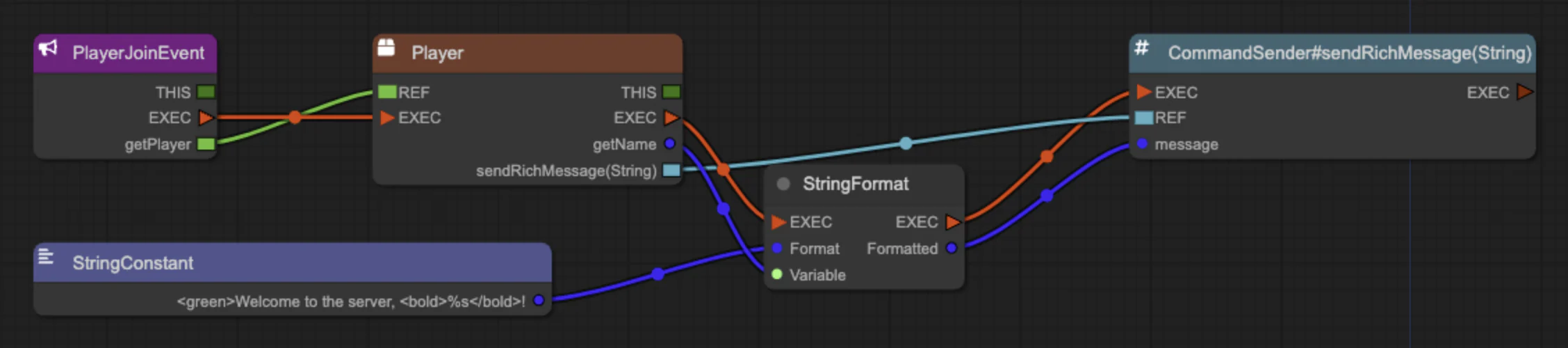
<green>.%s.Pick a folder and a name. The app sets up Java and Paper.
Create a projectConnect nodes to react to a player action.
Try an exampleGenerate the code, compile and package your jar.
Build your pluginStart Paper, join from Minecraft, and watch nodes light up as they run.
Test your pluginCopy the jar into your server's plugins folder.
Install your pluginRegister commands, ship a config file and catch mistakes before you build, without writing Java.
Enlarge
Add one Command node per command. Give it typed arguments, aliases, a permission, a permission message and a players-only option. The node registers the command, so you don't list it anywhere else.
Commands guide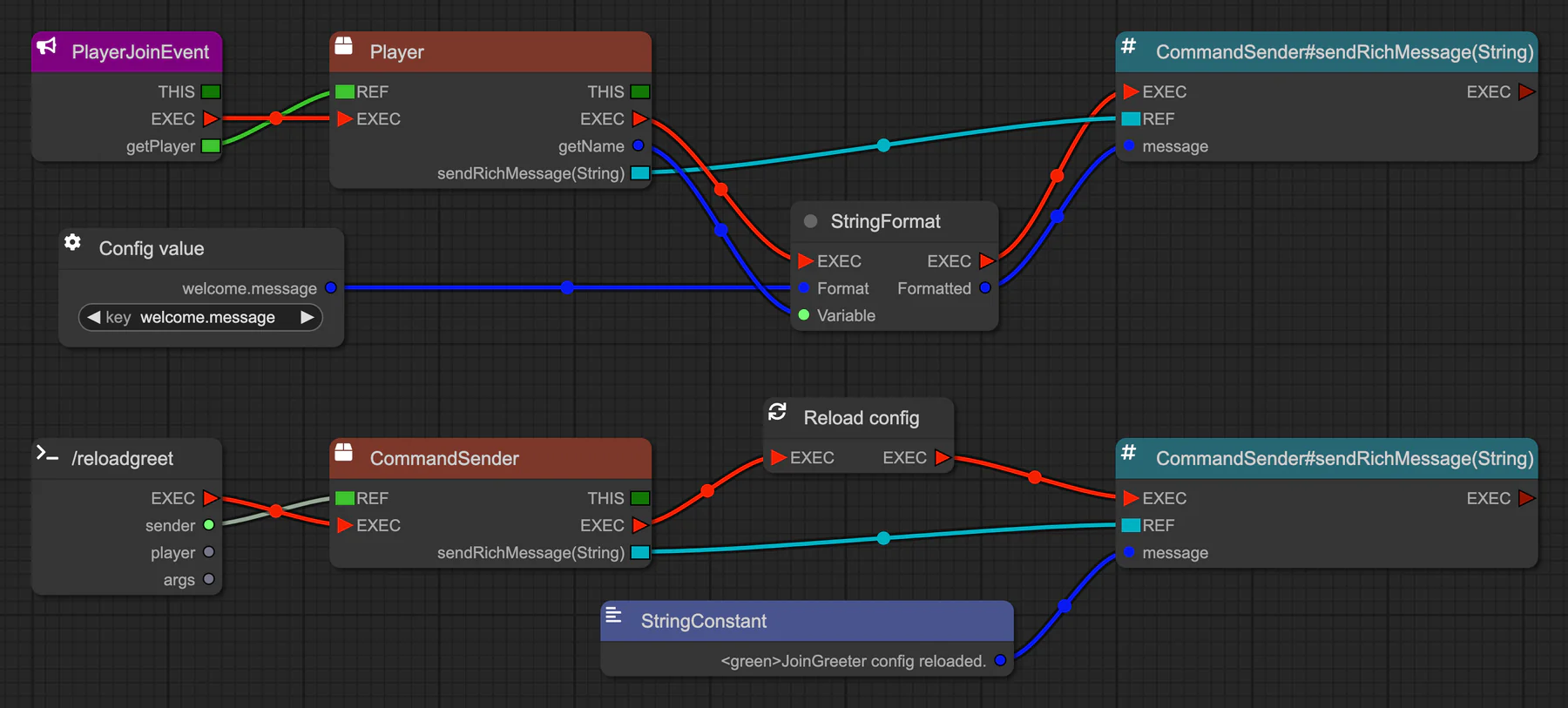 Enlarge
Define your defaults in the Config tab of Project Information, and the build ships them as config.yml. Read them with Config value nodes and pick up edits with Reload config.
 Enlarge
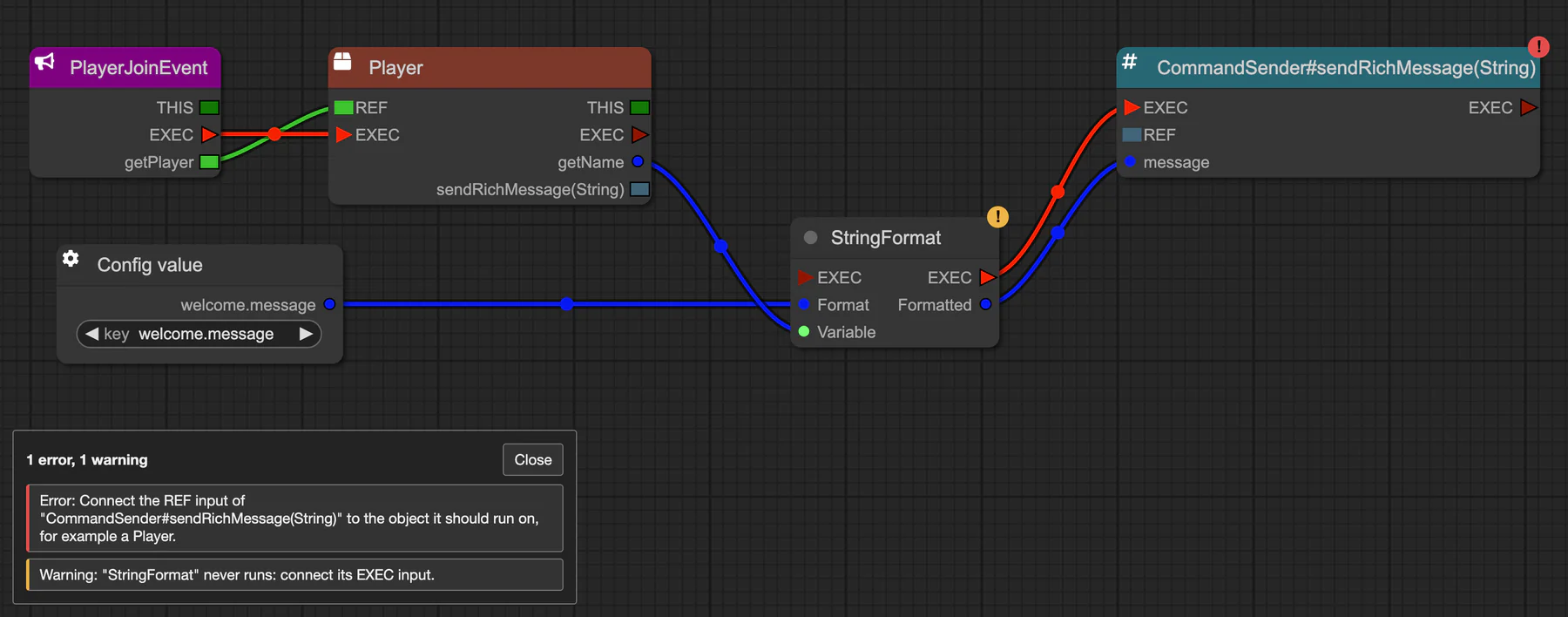
Every build starts with a check of your graph. Problems are listed in plain language, with a badge on each affected node; click one to jump to it. If Java still fails to compile, the error names the node it came from.
Fixing problems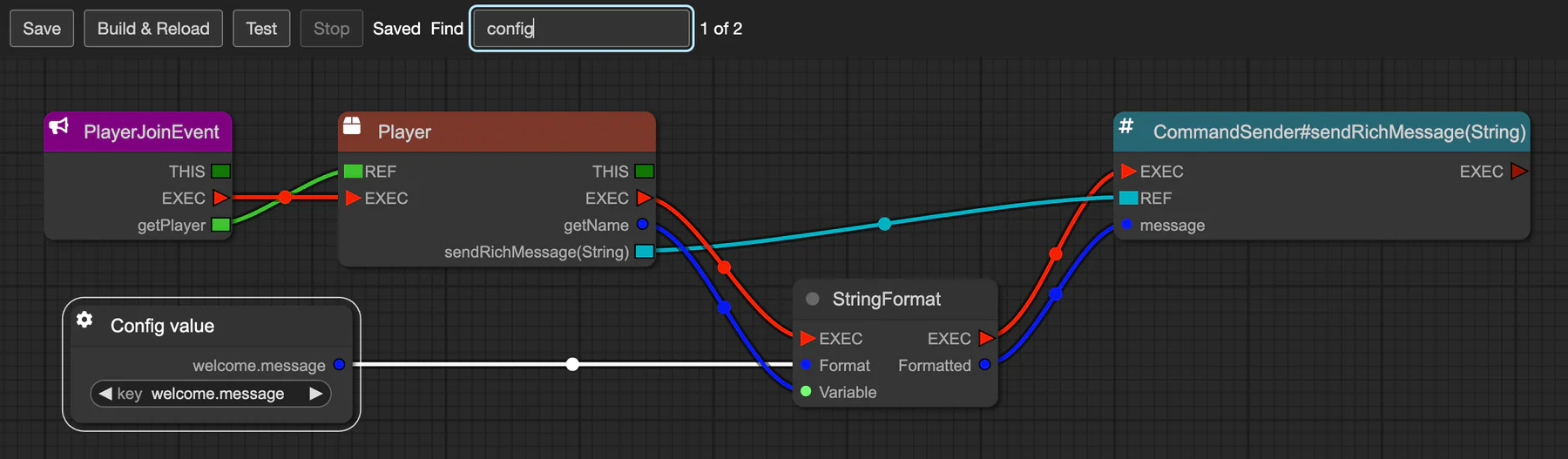 Enlarge
Save, Build & Reload, Test and Stop sit in a toolbar. The editor autosaves 30 seconds after your last change. Find nodes with Ctrl/⌘ F, undo node moves, and leave Note nodes for later.
Projects target Paper 26.3. The app looks for a JDK 25 on your system and offers to download one if it can't find it. It also downloads the Paper test server and sets it up for you.
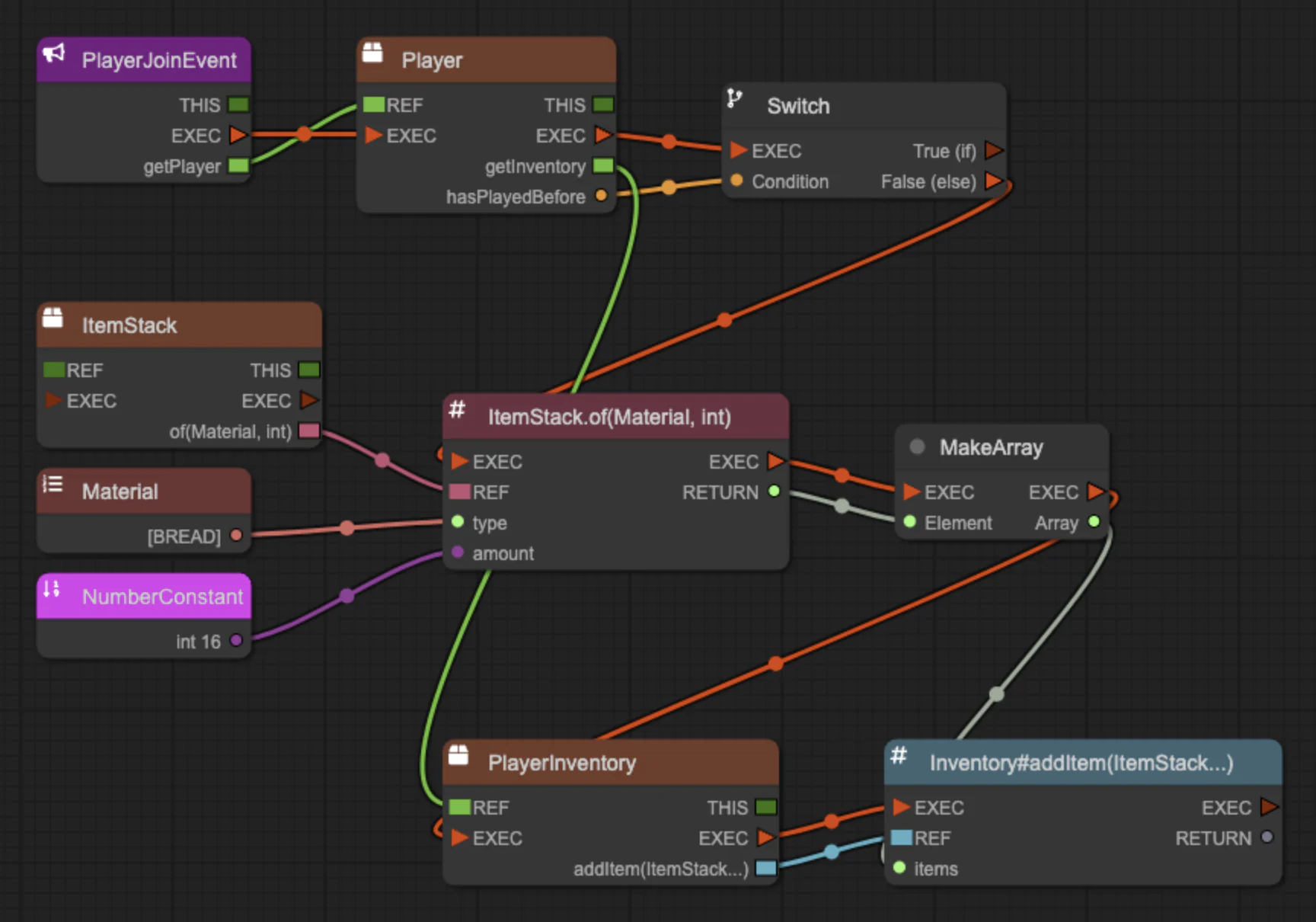
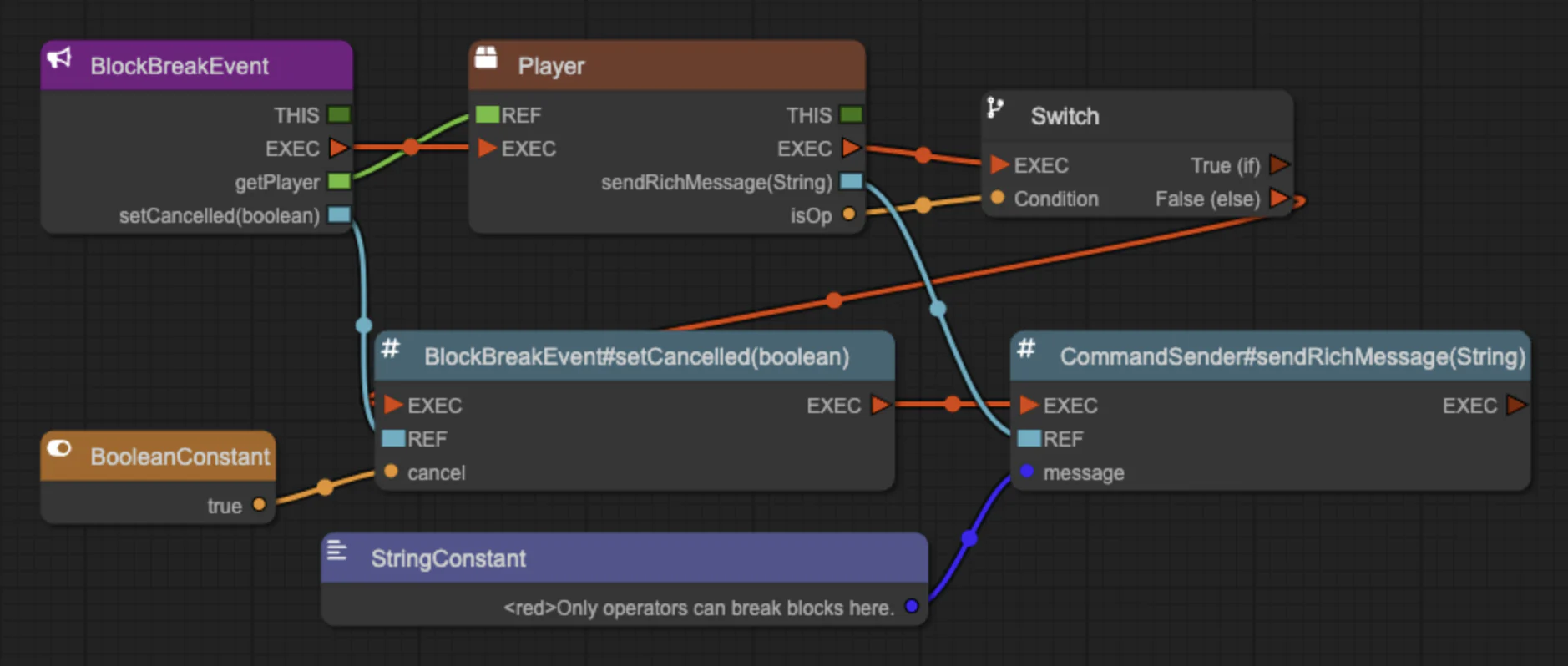
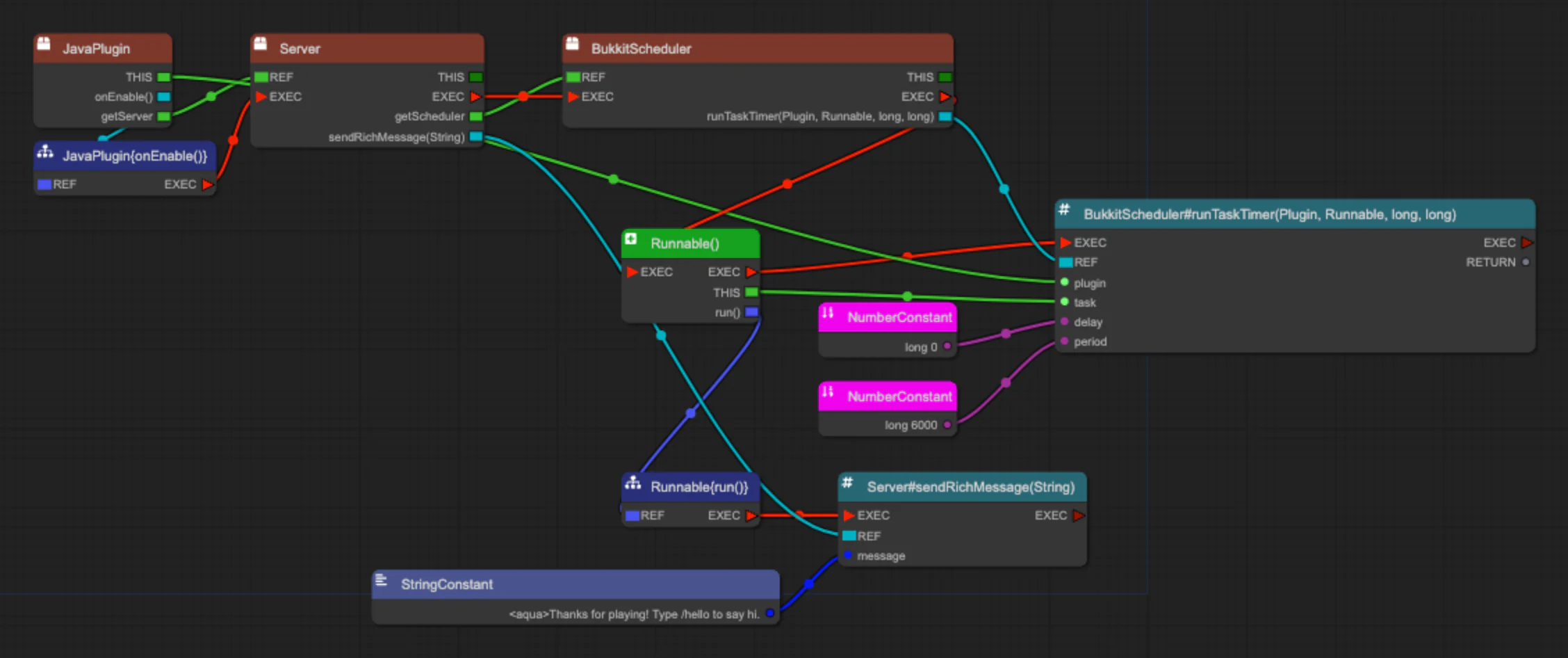
Each one comes with steps to build it yourself and a snippet you can import.
 Enlarge
 Enlarge
 Enlarge
Also: a join message and a hello command. See all examples
Pay what you want, then download the app for your system.
| System | File |
|---|---|
| Windows | .exe installer |
| macOS Apple silicon | .dmg or .zip |
| Linux | .AppImage or .deb |
The same files are attached to each GitHub release.
The editor's code is on GitHub. If PluginBlueprint helps you, you can pay what you want for it.